

eSIM for Philippines: Best Plans & Activation Guide (2026)
The first time I visited the Philippines, I landed in Manila after a long flight, queued at a tiny SIM card stall, and tried to pick a plan while half-asleep and juggling my backpack. It worked… eventually. But on my second visit, I used an esim philippines plan instead – and the difference was huge.
I activated my eSIM for Philippines at home, boarded the plane, and by the time we landed, I already had data. No kiosks, no haggling, no “wait, does this work in Siargao too?” panic.
In this guide I’m sharing:
-
How esim philippines actually works
-
The best eSIM for Philippines providers I’d personally trust
-
Realistic data needs (based on what I actually use)
-
Step-by-step activation and easy troubleshooting
All with 2026 info and up-to-date plans and pricing ranges.
Why Use an eSIM for Philippines Instead of Roaming?
If you’ve ever come home to a brutal roaming bill, you already know why people are switching to eSIMs.
With an esim philippines you can:
-
Avoid crazy roaming fees
Many independent reviews show eSIM data in the Philippines can cost just a few dollars for several GB – far less than many traditional roaming packages. -
Land with data already working
Buy and activate before you fly. When the plane doors open in Manila, Cebu or Davao, your phone just connects. -
Skip the SIM card hunt
No stalls, no language barrier, no swapping tiny plastic cards while jet-lagged. -
Keep your main number active
Keep your physical SIM for WhatsApp and SMS, while esim philippines handles all the data.
For me, the real magic is emotional: stepping out of NAIA or Mactan–Cebu airport and ordering a Grab or checking Google Maps instantly, without hunting for Wi-Fi.
Is Your Phone Ready for esim Philippines?
Before you fall in love with any esim philippines plan, you need to confirm two things:
-
Your phone supports eSIM
-
Your phone is unlocked
Most newer phones do support eSIM:
-
iPhone: XS, XR, 11, 12, 13, 14, 15 series and newer
-
Google Pixel: Most recent generations
-
Samsung: Newer Galaxy S / Note / Z Flip / Z Fold models
-
Other modern Android flagships
How to Check on iPhone
-
Go to Settings → General → About
-
Look for “Digital SIM” or “EID”
-
If it’s there, your iPhone can use esim philippines
How to Check on Android (Pixel / Samsung)
-
Open Settings → Network & Internet / Connections
-
Tap SIMs / SIM Manager
-
If you see “Add eSIM” or “Download eSIM”, you’re good
Important: Make sure your device is unlocked. If it’s carrier-locked, some eSIM for Philippines plans simply won’t activate.
How Does an eSIM for Philippines Work?
Under the hood, esim philippines is just a digital version of what a physical SIM does.
Here’s the simple version:
-
You buy an eSIM for Philippines plan online
You choose “Philippines” or a regional Asia plan, pick your data amount and validity. -
You receive a QR code or in-app install button
The QR contains your esim philippines profile details (network settings, etc). -
Your phone downloads the profile over Wi-Fi
This tells your phone how to connect to local networks like Smart, Globe or DITO (depending on provider). -
When you land, your phone connects automatically
It uses the eSIM as if you’d inserted a local SIM card. -
You set esim philippines as your data line
You can keep your physical SIM active for your main number or turn it off if you want zero roaming.
No plastic, no tools, just a digital “profile” stored in your phone.
Best eSIM for Philippines: My Top Picks for 2026
Let’s talk about real esim philippines options. I’ll focus on providers that show up consistently in independent reviews and comparison guides.
1. Holafly – Best Unlimited-Style eSIM Philippines
If you hate tracking GB usage, Holafly is a strong candidate for the “best eSIM for Philippines” title.
Why I like it:
-
Offers unlimited data eSIM for Philippines plans – you choose the number of days (from a few up to a month+).
-
Fully digital: instant delivery, QR code by email, and an app if you prefer.
-
Designed specifically for travelers who don’t want to think about top-ups.
Independent comparisons highlight Holafly as a top pick when you value unlimited data and convenience, though it’s usually more expensive than capped plans from providers like Airalo or Nomad.
Ideal for:
Content creators, remote workers, or anyone streaming, mapping and scrolling all day across Manila, Cebu, Palawan and Siargao.
Watch out for:
-
Fair-use policies – unlimited doesn’t mean truly infinite; speeds can be reduced after heavy use.
-
Hotspot/tethering limits – some unlimited eSIMs cap hotspot data per day.
2. Airalo – Best Budget & Flexible esim Philippines
If you want a cheap, clear and flexible esim philippines, Airalo is usually my first recommendation.
What Airalo offers for the Philippines:
-
Multiple single-country plans from around 1 GB up to 50+ GB, with validity from a few days to 30 days or more.
-
Some “unlimited” labelled plans that actually have a daily high-speed cap and then speed reduction (for example, 3GB/day then slower speeds).
-
Uses major local networks with 4G/5G access and good nationwide coverage.
A recent breakdown shows Airalo offers dozens of Philippines-specific and regional plans, starting from around $4 for 1 GB, up to large 50–100 GB packs that can cover long stays.
Ideal for:
-
Backpackers on a budget
-
Travelers staying 1–3 weeks
-
Anyone new to eSIMs who wants a simple app experience
I’ve used Airalo as my esim philippines on a two-week trip through Cebu and Bohol; maps, Grab, socials and some remote work all ran fine on a mid-sized plan.
3. Nomad – Balanced esim Philippines with Big Data Options
Nomad is another app-based provider that shows up in a lot of “best eSIM for Philippines” lists, and for good reason.
Highlights for the Philippines:
-
Local Philippines eSIM data plans starting from around 1 GB and going up to 50–75 GB, with validity from a few days to up to a year.
-
Clear, transparent pricing and data per plan in the app.
-
Some unlimited options in certain regions, plus competitive per-GB rates (Philippines often listed around $0.98–$1.30 per GB in regional menus).
Tech and travel reviewers frequently call Nomad one of the best “value for money” eSIM brands for international travel in general.
Ideal for:
Digital nomads and long-stay travelers who need a bigger esim philippines data bucket and a polished app to manage it.
4. Jetpac, Saily & Others – Good Alternatives for esim Philippines
Recent comparison guides also mention Jetpac, Saily, SimOptions and others as strong contenders for esim philippines depending on your needs.
Saily: backed by Nord Security (the people behind NordVPN), often praised for security-focused features (ad blocking, safer browsing) and competitive prices in the Philippines region.
-
Jetpac: stands out with flexible, pay-as-you-go-style plans and coverage across Southeast Asia, including the Philippines.
If I’m planning a wider Southeast Asia loop (Philippines + Thailand + Vietnam, for example), I’ll also compare these regional eSIMs to see if a single plan can cover my whole route.
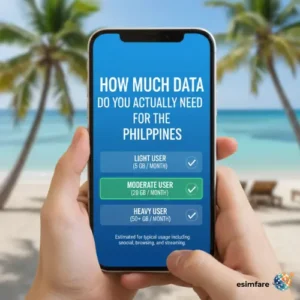 How Much Data Do You Actually Need for the Philippines?
This is the second question I always get after “Which is the best eSIM for Philippines?”
Here’s a realistic esim philippines data guide based on my own usage:
-
Light user (5–7 days)
-
1–3 GB
-
Occasional Google Maps, WhatsApp, basic socials
-
You rely heavily on hotel or hostel Wi-Fi
-
-
Normal user (10–14 days)
-
5–10 GB
-
Daily maps, Grab, socials, a bit of YouTube/Spotify
-
Light work (email, docs, cloud storage)
-
-
Heavy user / remote worker (2–4 weeks)
-
15–30+ GB or an unlimited-style esim philippines plan
-
Regular video calls, high-quality streaming, content uploads, hotspot to laptop
-
Personally, I prefer slightly over-estimating. I’d rather buy 10–20 GB and relax than stare at my usage counter in a beach bar in Siargao.
Step-by-Step: How to Set Up Your esim Philippines
Regardless of provider (Holafly, Airalo, Nomad, Jetpac, Saily, etc.), installing your esim philippines follows the same basic sequence.
1. Buy Your eSIM Plan
-
Go to your chosen provider’s website or app
-
Select Philippines (or an Asia/SEA regional plan)
-
Pick data + validity (e.g. 10 GB, 15 days)
-
Pay online (card, PayPal, Apple Pay, etc.)
You’ll receive a QR code and/or an in-app install button.
2. Connect to Wi-Fi
Install your esim philippines profile while connected to good Wi-Fi at home or at your hotel.
3. Add the eSIM on Your Phone
On iPhone
-
Open Settings → Mobile Data / Cellular
-
Tap Add eSIM / Add Cellular Plan
-
Scan the QR code or choose “From App” if supported
On Android (Pixel / Samsung)
-
Open Settings → Network & Internet / Connections
-
Tap SIMs / SIM Manager → Add eSIM
-
Scan the QR code or follow the in-app install flow
Now you should see your esim philippines listed alongside your physical SIM.
4. Label the Line
Give it a clear name: “Philippines eSIM” or “PH Data” so you don’t confuse it later.
5. Set Default Data Line
-
Choose esim philippines as your default mobile data line
-
Keep your physical SIM active if you still want calls/SMS on your home number (or disable it to avoid accidental roaming)
6. Enable Data Roaming (for the eSIM Only)
Make sure Data Roaming is turned on for the eSIM profile, not for your home SIM.
7. Test When You Land
After landing in Manila, Cebu or wherever you start:
-
Turn off airplane mode
-
Wait a minute for the esim philippines to register on the network
-
Open a browser, Google Maps or Grab and check that data is working
Performance Tips & Common esim Philippines Issues:
Tips to Get the Best Experience
-
Install before you fly
Doing your esim philippines setup at home is much less stressful than doing it in the arrivals hall. -
Download offline maps
Save Metro Manila, Cebu, Palawan etc. in Google Maps. Less data usage and insurance against patchy coverage. -
Disable “Low Data Mode” or extreme power saving
These can silently throttle your apps. -
Keep network mode on 4G/5G Auto
Let your phone pick the best available connection. -
Copy APN details exactly
If your provider sends APN settings, enter them carefully – one typo can break your data.
Common Problems & Quick Fixes
| Issue | Quick Fix |
|---|---|
| No signal after landing | Toggle Airplane Mode off/on, then restart your phone |
| Bars but no data on esim philippines | Confirm Mobile Data + Data Roaming are enabled for the eSIM |
| eSIM won’t install | Update iOS/Android, try again on a stronger Wi-Fi network |
| Very slow data | Step outside, switch between 5G ↔ 4G, or wait if network is congested |
| Hotspot not working | Double-check that your plan allows tethering; some unlimited plans limit it |
FAQ: esim Philippines (2026)
1. Is esim philippines cheaper than roaming?
Almost always, yes. Recent comparisons show eSIM data for the Philippines starting around $4 for 1GB on brands like Airalo or Nomad, and unlimited-style pricing from Holafly that, while higher, still beats many traditional roaming packages for heavy users.
2. Can I use WhatsApp with an eSIM for Philippines?
Definitely.
-
Keep your home SIM (physical) for your WhatsApp number
-
Use esim philippines purely for data
-
WhatsApp will continue to use your original number as long as you don’t change it in settings
3. Do esim Philippines plans include calls and SMS?
Most esim philippines travel plans are data-only. You’ll make calls via apps (WhatsApp, FaceTime, Telegram, etc.).
Some providers and specific plans in the Philippines or Asia do offer voice/SMS or a local number, but they’re less common – always check the plan description if you need regular phone calls.
4. Can I use hotspot on my esim philippines?
Often yes, but:
-
Capped data plans (e.g., 10–20 GB) from Airalo/Nomad usually allow hotspot use.
-
Unlimited-style esim philippines plans (like Holafly) may limit hotspot speed or daily hotspot allowance.
Always read the hotspot/tethering line before you buy.
5. When should I install my eSIM for Philippines?
Best practice:
-
Install your esim philippines at home or at your last dependable Wi-Fi spot before flying.
-
You can keep it turned off until you land, then enable mobile data & roaming.
6. Can I reuse my esim philippines for future trips?
It depends on the provider:
-
Some (like Airalo, Nomad, Ubigi) let you top up or add new plans on the same eSIM profile for later trips.
-
Others treat each esim philippines as one-and-done.
Either way, don’t delete your eSIM until you’re sure you don’t need it anymore.
7. Is esim philippines safe?
Yes. eSIM is a standard used by major phone makers and carriers worldwide. As long as you:
-
Buy esim philippines from reputable providers (Holafly, Airalo, Nomad, Saily, etc.)
-
Avoid scanning random QR codes from strangers or dodgy websites
-
Keep your phone locked with a PIN or biometrics
…you’ll be fine.
How I Personally Choose an eSIM for Philippines
Here’s my honest, no-fluff decision tree when I’m planning a new trip:
-
1 week in Manila + Palawan, heavy Instagram + Google Maps:
→ Holafly unlimited esim philippines -
2–3 week backpacking trip (Cebu, Siargao, Bohol) on a budget:
→ Airalo or Nomad 10–20 GB eSIM for Philippines -
3–4 weeks remote work (video calls + uploads):
→ Nomad or large Airalo plan (20–50 GB), possibly Holafly unlimited if I know I’ll be using a lot -
Philippines as part of a larger Asia route:
→ Regional Asia eSIM (Holafly Asia, Airalo Asialink, Jetpac or Saily depending on current prices and coverage)
Once you experience landing in Manila with your esim philippines already active – maps, Grab, food apps and translation all working from the moment you turn your phone on – it’s really hard to go back to physical SIM cards.
