

eSIM for Thailand: Best Plans & Activation Guide (2026)
On my first trip to Bangkok, I landed at Suvarnabhumi, shuffled through immigration, found an AIS counter, and:
-
Tried to choose a plan while half-asleep
-
Swapped a tiny plastic SIM in the corner of the arrivals hall
-
Hoped it would work in Phuket, Chiang Mai and the islands
It worked… but it wasn’t fun.
On my next trips, I switched to a thailand esim instead. I bought my eSIM for Thailand at home, scanned a QR code on my sofa, and by the time I stepped off the plane, data was already working. No queues, no registration forms, no “where’s the SIM shop?”.
In this guide, I’ll share exactly how I use thailand esim plans today:
-
Which eSIMs actually work best in Thailand in 2026
-
How prices & coverage compare (AIS vs DTAC vs TrueMove H)
-
How much data you really need for Bangkok, Phuket, Chiang Mai & the islands
-
Step-by-step activation and quick fixes when things misbehave
All based on current 2025–2026 comparison tests, not just marketing copy.
Why Use a thailand esim Instead of Roaming or Just a Local SIM?
You can still walk up to an AIS, DTAC or TrueMove H counter and buy a tourist SIM, and if you’re staying a month and don’t mind the admin, that can be the absolute cheapest.
But for most visitors, a thailand esim hits the sweet spot between price, convenience and flexibility.
1. Roaming is usually the worst deal
Almost every “best eSIM for Thailand” comparison agrees on one thing: roaming is expensive. Using your home SIM in Thailand can cost you more in a few days than a full eSIM plan for your whole trip.
By contrast:
-
Saily – often rated overall best – starts around US$2.99–$3.99 for 1GB / 7 days in Thailand, with larger and unlimited plans still far cheaper than roaming.
-
Airalo, Jetpac, Nomad, Holafly, Yesim, Roafly, Gohub all offer thailand esim plans from roughly US$4–6 for small packs, with 10–20GB options that work out very affordable per GB.
2. Land with data already working
With a thailand esim:
-
I install it at home on Wi-Fi
-
When I land in Bangkok or Phuket, I simply turn off airplane mode
-
Grab, Bolt, LINE, Google Maps / Grab maps all work immediately
No SIM-hunting in arrivals. No “let’s just connect to the airport Wi-Fi and hope”.
3. No plastic, no clutter
Because thailand esim is digital:
-
No SIM tool, no paperclip
-
No risk of losing your home SIM in a hostel dorm
-
No mini plastic card to keep track of
It’s all in your phone.
4. Perfect for multi-country Southeast Asia trips
If you’re doing Thailand + Vietnam + Cambodia + Malaysia, regional Asia eSIMs (Saily, Nomad, Holafly Asia, Ubigi, etc.) can cover multiple countries with one QR code. Cybernews and TechRadar both recommend Asia eSIMs from Saily, Airalo, Nomad and Jetpac for this kind of route.
Thai Networks 101: AIS vs DTAC vs TrueMove H
There are three major carriers in Thailand:
-
AIS – generally considered the best coverage, especially outside big cities, but also the most expensive.
-
DTAC – strong data speeds, good urban coverage, slightly weaker in remote areas than AIS.
-
TrueMove H – excellent coverage in cities and tourist islands, strong 4G/LTE nationwide.
A BuddySIM comparison in 2025 concluded that Thailand has very good 4G/LTE almost nationwide, with all three operators performing well, but AIS consistently scoring best overall coverage.
Most thailand esim providers sit on top of one or more of these networks. When I’m comparing eSIMs, I always peek at which Thai carrier they use:
-
Want ultimate coverage (especially north or in rural areas)? Favor AIS-based eSIMs.
-
Mostly staying around Bangkok, Chiang Mai, Phuket, Krabi, Koh Samui, Koh Phangan? DTAC and TrueMove H are usually perfectly fine – and sometimes cheaper.
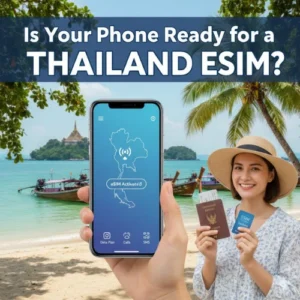 Is Your Phone Ready for a thailand esim?
Before you buy anything, two checks:
-
Your phone supports eSIM
-
It’s unlocked
1. eSIM compatibility
Most modern phones support eSIM:
-
iPhone XS / XR and newer
-
Recent Google Pixel models
-
Newer Samsung Galaxy S / Note / Z Flip / Z Fold
-
Many 2021+ Android flagships (OnePlus, Xiaomi, etc.)
On iPhone
-
Go to Settings → General → About
-
Look for “Digital SIM” or “EID”
On Android (Pixel / Samsung)
-
Go to Settings → Network & Internet / Connections → SIMs / SIM Manager
-
If you see “Add eSIM” or “Download eSIM”, you’re good
2. Unlocked phone
If your phone is carrier-locked to your home provider, a thailand esim may not work. It’s worth asking your carrier to unlock the device before you fly.
How Does a Thailand eSIM Actually Work?
Here’s the non-technical version.
When you buy and install a thailand esim:
-
Your phone downloads a digital SIM profile
-
That profile tells it how to connect to AIS / DTAC / TrueMove H (or an MVNO that uses them)
-
Your data then goes through that Thai network instead of your home carrier
The simple flow
-
You choose a thailand esim plan (local or Asia-wide)
-
The provider emails a QR code or lets you install via app
-
You scan the code on Wi-Fi
-
Your phone adds a new “line” (the eSIM)
-
You set this thailand esim as your data line
-
When you land, your phone connects to the Thai network and you’re online
No plastic SIM, no kiosk, no stress.
Best thailand esim Providers in 2026 (My Shortlist)
I’m not sponsored by any of these – this is a mix of my own trips plus up-to-date testing & comparison articles from Wise, Cybernews, Roami, Monito, Skyalo, Gohub and others.
1. Saily – Overall Best thailand esim (Security + Value)
If you want one “default” option, Saily is a great starting point.
TechRadar and Cybernews both rate Saily as best overall eSIM for Thailand thanks to its mix of price, coverage and built-in security.
What I like:
-
Plans from 1GB all the way up to unlimited, with 7–30 day validity
-
Very competitive prices (e.g. around US$2.99–$3.99 for 1GB / 7 days in Thailand, with 10–20GB and unlimited options still cheaper than roaming)
-
Uses major Thai networks (AIS, DTAC, TrueMove H depending on plan) for strong 4G/5G coverage on popular routes
-
Security extras: ad-blocking, web protection and virtual location – it’s built by the NordVPN team.
I used Saily as my main thailand esim on a Bangkok → Chiang Mai → Pai → Krabi route. I had solid data pretty much everywhere except a few mountain corners in Pai (where nobody has signal).
Best for:
Most travelers and digital nomads who want a safe, well-priced, easy thailand esim with both fixed and unlimited options.
2. Airalo – Cheap & Super Popular thailand esim
Airalo is usually the first name people hear when they start Googling “thailand esim”.
Wise and Monito both list Airalo among the best and cheapest eSIMs for Thailand.
From recent comparisons:
-
Airalo’s local thailand esim plans (e.g. “Siam eSIM” style) often start around US$4–5 for 1–3GB / 7 days, scaling up to 20GB or more.
-
They ride major Thai networks like AIS, DTAC or TrueMove H depending on the plan.
-
The app is beginner-friendly: buy, install, and top up all in a couple of taps.
I’ve used Airalo for short Bangkok-only trips – a 5–10GB pack easily covered maps, Grab, socials and some YouTube.
Best for:
First-time eSIM users and budget travelers who want a reliable thailand esim with a very simple app experience.
3. Jetpac – Best Value & Perks (Free WhatsApp/Maps When Data Ends)
If you like getting clever value, Jetpac is really interesting.
TechRadar and travel blogs highlight Jetpac for Thailand because:
-
It offers cheap thailand esim plans from 1GB upwards, plus unlimited and membership-style options.
-
Jetpac’s Thailand eSIMs ride on AIS – the carrier with the best national coverage.
-
Unique perk: when your high-speed data runs out, you still get free access to WhatsApp, Google Maps, Grab/Uber, so you’re never “stranded offline”.
They also sell airport lounge access and JetFlex/JetPro subscriptions (with global data + lounge perks) if you travel a lot.
Best for:
Value-hunters who want AIS coverage, smart perks and don’t mind trying a slightly less mainstream brand.
4. Holafly – Unlimited Data thailand esim (Easy Mode)
If you don’t want to count gigabytes at all, Holafly is the classic unlimited option.
Roami’s Thailand eSIM comparison calls Holafly best for unlimited data and hassle-free setup, and multiple blogs agree it’s a great choice for data-hungry travelers.
Holafly Thailand highlights:
-
Unlimited data eSIM for Thailand, typically offered in 5, 7, 10, 15, 20, 30+ day durations
-
Runs on top Thai networks (often AIS/TrueMove H) with strong 4G/5G coverage in tourist areas
-
Super easy QR setup and 24/7 support
What to know:
-
Unlimited is governed by fair-use policies – heavy users can be throttled after hitting a daily threshold.
-
Hotspot/tethering is often not allowed or limited on unlimited plans, so this is best for phone-only data.
Best for:
Content creators & social-media addicts who want to spam Reels from Thai islands without worrying about GB.
5. Yesim – Flexible Unlimited & Fixed thailand esim
Yesim is another strong eSIM brand that many 2025 Thai eSIM round-ups put near the top. One recent guide calls Yesim “best overall eSIM for Thailand in 2025” because it blends affordability, flexibility and good coverage.
Yesim offers:
-
Local thailand esim plans with fixed data (1–20GB) and unlimited variants
-
1, 7, 15, 30-day options with clear pricing
-
Hotspot support on many plans (with fair-use limits), which is handy for laptop tethering
Best for:
Travelers who want a flexible mix of fixed and unlimited Thailand eSIM options, often a bit cheaper than the biggest names.
How Much Data Do You Actually Need on a Thailand eSIM?
Let’s talk usage, not hype.
Light user (5–7 days)
-
3–5GB total
-
Mostly Wi-Fi in hotels/hostels
-
Google Maps / Grab, a bit of social media, messaging, bank apps, basic browsing
Normal user (10–14 days)
-
8–15GB thailand esim
-
Daily maps + translation + ride-hailing
-
Instagram Stories, Reels/TikTok, YouTube
-
Restaurant searches, booking apps, cloud docs, maybe a few calls
Heavy user / remote worker (2–4 weeks)
-
20–40GB or an unlimited thailand esim
-
Regular video calls (Zoom, Meet)
-
Uploading content, backing up photos
-
Streaming & music
-
Hotspot for laptop/tablet
Personally, for a 2-week Bangkok + north + islands trip, I aim for 10–15GB. If I’m working full-time from Chiang Mai, I push it to 25–30GB or grab an unlimited plan and lean on café Wi-Fi for heavier laptop tasks.
Step-by-Step: How to Activate Your thailand esim
The label names vary slightly between iPhone and Android, but the steps are the same.
1. Buy your eSIM for Thailand
-
Go to your chosen provider (Saily, Airalo, Jetpac, Holafly, Yesim, Roafly, Gohub, etc.)
-
Select Thailand (or an Asia/Global plan including Thailand)
-
Choose data + validity (e.g. 10GB / 15 days, or 20GB / 30 days, or Unlimited / 7 days)
-
Pay online
You’ll receive:
-
A QR code (email + app), and/or
-
An in-app “Install eSIM” button
2. Connect to Wi-Fi
Install your thailand esim while connected to stable Wi-Fi at home or at your hotel.
3. Add the eSIM on your phone
On iPhone
-
Open Settings → Mobile Data / Cellular
-
Tap Add eSIM / Add Cellular Plan
-
Choose “Use QR Code” and scan it, or pick “From App”
-
Follow the prompts until the eSIM line appears
On Android (Pixel / Samsung / others)
-
Open Settings → Network & Internet / Connections
-
Tap SIMs / SIM Manager → Add eSIM
-
Scan the QR code or tap “Download eSIM” from your provider app
-
Complete the installation steps
4. Label the line
Give the new line a clear name like “Thailand eSIM” so you don’t mix it up with your home SIM.
5. Set default data line
-
Set the thailand esim as your Mobile Data line
-
Keep your physical SIM active if you want to receive calls/SMS on your usual number
-
Or disable your home SIM entirely to avoid roaming
6. Turn on Data Roaming (for the eSIM only)
-
In the Thailand eSIM settings, turn Data Roaming ON
-
Keep Data Roaming OFF for your home SIM unless you deliberately want to roam
7. Test when you land
When you land in Bangkok, Phuket, Chiang Mai, etc.:
-
Turn off airplane mode
-
Wait a minute or two
-
Open maps or a browser
-
Confirm your thailand esim is actually delivering data before you leave the airport
Troubleshooting: When Your thailand esim Misbehaves
Even the best eSIM for Thailand can have a bad day. Here’s my quick rescue checklist.
| Problem | Quick fix |
|---|---|
| No signal after landing | Toggle Airplane Mode off/on, then restart your phone |
| Bars but no data | Confirm Mobile Data + Data Roaming are ON for the eSIM line |
| eSIM won’t install | Update OS, retry on stronger Wi-Fi, or reinstall from the app |
| Very slow data | Move outside, switch 5G ↔ 4G, or wait out rush-hour congestion |
| Hotspot not working | Check your plan – some unlimited thailand esim plans restrict tethering |
Comparisons highlight that:
-
Fixed-data plans from Saily, Airalo, Nomad, Roafly, Yesim, Gohub, Esimtrav generally allow tethering, though some may slow after a fair-use point.
-
Unlimited eSIMs (Holafly, some Jetpac/Yesim/Saily unlimited plans) often limit hotspot or throttle speeds after a daily cap.
If laptop hotspot is important, make sure your thailand esim explicitly supports it.
FAQ: thailand esim (2026 Edition)
1. Is a thailand esim really cheaper than roaming?
Almost always yes.
Major comparisons (Wise, Cybernews, Monito, Roami) all show that roaming in Thailand is generally far more expensive per GB than buying a dedicated thailand esim from brands like Saily, Airalo, Jetpac, Holafly, Nomad, Yesim, Roafly or Gohub.
2. Can I use WhatsApp, Google Maps and social media with a thailand esim?
Yes.
Thailand does not block Western apps. As long as your eSIM has data and Data Roaming is enabled for that line, WhatsApp, Instagram, TikTok, Google Maps, etc. work as normal.
3. Do thailand esim plans include calls and SMS?
Most travel-oriented eSIMs are data-only.
If you need calls/SMS:
-
aloSIM integrates with Hushed to give you a phone number tied to your data plan.
-
Some local specialist brands (Thailandesim, Esimtrav, some Gohub bundles) include a Thai number and/or SMS for OTPs.
-
Or you can get a physical AIS/DTAC/TrueMove SIM in-person if you need lots of calling.
For short trips, data-only thailand esim + app-based calling (WhatsApp, Skype, etc.) is usually enough.
4. Can I reuse my thailand esim for future trips?
Often yes:
-
Many providers (Saily, Airalo, Nomad, Roafly, Ubigi, Maya, etc.) let you top up or add new plans to the same eSIM profile later.
-
Some single-use tourist eSIMs are only valid for one trip.
Don’t delete your eSIM profile until you’re certain you won’t use that thailand esim again.
5. Is using a thailand esim safe?
Yes.
eSIM is a standard supported by Apple, Samsung, Google and all major Thai carriers (AIS, DTAC, TrueMove H). Guides from reputable sources now treat eSIMs as a safe, convenient alternative to juggling physical SIM cards.
Just remember:
-
Buy your thailand esim from reputable providers or official partners
-
Avoid scanning random QR codes from strangers or dubious sites
-
Keep your phone protected with a PIN/biometrics
How I Choose a thailand esim (Elena’s Shortcut)
Here’s the decision tree I actually use when I book flights to Thailand:
-
5–7 days (Bangkok + day trips, normal use)
→ Saily or Airalo thailand esim with 5–8GB -
10–14 days (Bangkok → Chiang Mai → Krabi/Phuket)
→ Saily 10–15GB or Jetpac/Yesim 10–20GB (AIS-based if I’m heading into more rural areas) -
3–4 weeks remote work (Chiang Mai / Bangkok)
→ Saily or Nomad 20–30GB, Roafly 20–50GB, or Holafly unlimited thailand esim if I don’t need hotspot much -
Long stay or lots of islands & rural north
→ AIS-based thailand esim (Jetpac, Roafly, Thailandesim, etc.) plus possibly a local AIS physical SIM as backup
Once you’ve experienced landing in Bangkok, turning off airplane mode and walking straight to the Airport Rail Link with your thailand esim already live – maps open, Grab ready, hotel pinned, mango sticky rice location saved – you’ll never want to stand in a SIM card queue again.
