
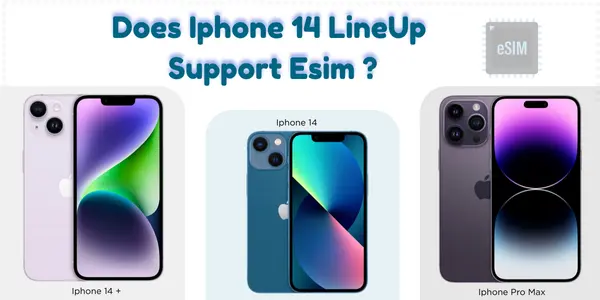
Does iPhone 14 Have eSIM? Quick Answer :
Yes. All iPhone 14 models , iPhone 14, 14 Plus, 14 Pro and 14 Pro Max ,support eSIM. In the US, they are eSIM-only (no physical SIM tray), while in most other countries they support both eSIM and a physical nano-SIM, often with dual eSIM capability so you can use two lines on the same device.
Quick Answer: Yes, All iPhone 14 Models Support eSIM
Every device in the iPhone 14 series supports eSIM.
But there is one major difference:
-
US models → eSIM-only (No SIM card slot)
-
International/Global models → eSIM + Nano-SIM slot
So if you searched does iPhone 14 support eSIM or can iPhone 14 do eSIM, the answer is YES, regardless of model.
iPhone 14 eSIM Support Overview
| iPhone Model | eSIM Support | Physical SIM Slot | Dual SIM |
|---|---|---|---|
| iPhone 14 | Yes | US only / Global | Yes |
| iPhone 14 Plus | Yes | US only / Global | Yes |
| iPhone 14 Pro | Yes | US only / Global | Yes |
| iPhone 14 Pro Max | Yes | US only / Global | Yes |
– All models are fully eSIM compatible.
– Only US versions remove the physical SIM tray.
 Does iPhone 14 Support eSIM?
Yes.
The iPhone 14 uses eSIM for all US models and supports eSIM globally.
You can:
-
Add eSIM using QR code
-
Activate via carrier app
-
Use Quick Transfer
-
Add multiple eSIM profiles
If you searched does iPhone 14 have an eSIM, the answer is YES.
Does iPhone 14 Plus Take eSIM?
Yes.
The iPhone 14 Plus supports eSIM, including:
-
Dual eSIM
-
eSIM + physical SIM (global models only)
-
Multiple stored eSIM profiles
Does iPhone 14 Pro Have eSIM?
Yes.
The iPhone 14 Pro has full eSIM support.
Key benefits:
-
Two active eSIMs
-
Supports global eSIM carriers
-
Fast activation using iOS 16+
-
Great for travel eSIM plans
If you searched does iPhone 14 Pro support eSIM, the answer is YES.
Does iPhone 14 Pro Max Have eSIM?
Yes.
The iPhone 14 Pro Max supports eSIM and Dual SIM, just like all models in the series.
It offers:
-
Dual active eSIM
-
eSIM + SIM card (global models)
-
Multiple stored eSIMs
-
Fast plan switching
If you searched does iPhone 14 Pro Max have eSIM or iPhone 14 Pro Max eSIM, the answer is YES.
iPhone 14: eSIM-Only in the USA
Apple made the iPhone 14 series eSIM-only in the United States.
This means:
-
No SIM card tray
-
Only eSIM activation
-
Supports two active eSIMs
-
Supports multiple stored profiles
Why Apple removed the SIM tray in the US:
-
Improve security (SIM swap protection)
-
Make devices more waterproof
-
Increase space for internal hardware
-
Push digital connectivity
Global Versions Still Have a SIM Card Slot
Outside the US, iPhone 14 models ship with:
-
1 physical Nano-SIM slot
-
eSIM support
This gives users flexibility when traveling or using local physical SIMs.
How Many eSIMs Can iPhone 14 Have?
All iPhone 14 models can:
-
Store 8 or more eSIM profiles
-
Use two active eSIMs at the same time
-
Combine 1 eSIM + 1 physical SIM (global models only)
Why the iPhone 14 Is Great for Travel eSIMs
The iPhone 14 is one of the best phones for international travel because you can:
-
Activate local eSIMs instantly
-
Keep your home number active
-
Avoid roaming fees
-
Use travel eSIM apps such as:
-
Airalo
-
Nomad
-
Saily
-
Holafly
-
Jetpac
-
No need to buy local SIM cards.
How to Activate eSIM on iPhone 14
Method 1) QR Code Activation
-
Go to Settings → Cellular
-
Tap Add eSIM
-
Tap Use QR Code
-
Scan code
-
Follow prompts
Method 2) Carrier App Activation
-
Download carrier app
-
Buy plan
-
Tap Install eSIM
Method 3) eSIM Quick Transfer
-
Go to Settings → Cellular → Add eSIM
-
Choose Transfer from Nearby iPhone
iPhone 14 eSIM Features (At a Glance)
| Feature | Supported? |
|---|---|
| Dual eSIM | Yes |
| eSIM-only (US) | Yes |
| eSIM + SIM tray (Global) | Yes |
| Travel eSIM support | Yes |
| Multiple stored profiles | Yes |
| Quick Transfer | Yes |
Troubleshooting eSIM Issues on iPhone 14
1. “Activation Failed” Error
-
Restart your phone
-
Connect to Wi-Fi
-
Re-scan QR code
2. No Service
-
Enable Airplane Mode and turn it off
-
Update carrier settings
-
Reset network settings
3. Can’t Add eSIM
-
Ensure the iPhone is unlocked
-
Check plan compatibility
-
Update iOS
Frequently Asked Questions
1. Does iPhone 14 support eSIM?
Yes, all iPhone 14 models support eSIM.
2. Does iPhone 14 Pro Max support eSIM?
Yes, the Pro Max has full eSIM compatibility.
3. Does iPhone 14 have a SIM card slot?
US models: No
Global models: Yes
4. Can iPhone 14 use eSIM only?
Yes , all US models are eSIM-only.
5. Can iPhone 14 use two eSIMs?
Yes, it supports two active eSIM lines.
Final Verdict: Full eSIM Support Across the Entire iPhone 14 Line
If you searched:
-
does iPhone 14 support eSIM?
-
does iPhone 14 Pro have eSIM?
-
does iPhone 14 Pro Max support eSIM?
The answer is YES for all models.
The iPhone 14 lineup offers:
-
Full eSIM compatibility
-
Dual eSIM support
-
eSIM-only design in the US
-
Excellent travel flexibility
This makes the iPhone 14 one of the best smartphones for eSIM users worldwide.
Explore More:
-
What is an eSIM & How Does It Work ? Complete Beginner’s Guide (2026)
-
eSIM for Vietnam: Best Plans, Prices & Activation Guide (2026)
- Airalo vs Holafly vs Nomad vs Saily – Which eSIM is Best in 2026?
-
Does iPhone 14 Have eSIM? Real Pros, Cons & eSIM Compatibility Guide
-
Saily eSIM Guide 2026: Featuring Best Plans, Real Pros & Cons
- Data Calculator eSIM
