
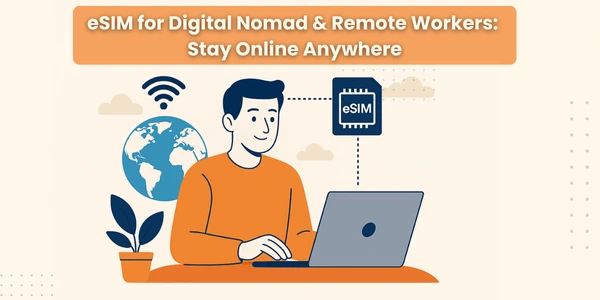
eSIM for Digital Nomads & Remote Workers:
An eSIM is a digital SIM card built into your phone. Instead of buying and inserting a plastic SIM in every country, you just:
-
Scan a QR code or use an app
-
Download the plan
-
Start using data in minutes
For digital nomads and remote workers, that means:
-
No more hunting for SIM shops at airports
-
No more swapping tiny SIM trays
-
You can activate a new plan from a café, Airbnb, or coworking space anywhere in the world
Why eSIM for Digital Nomads & Remote Workers Is a Game Changer
Here’s why eSIM for digital nomads has exploded in popularity:
1. Instant Activation, Even Before You Fly
-
Buy and install your plan before you travel
-
Land → turn off airplane mode → you’re already online
-
Perfect for remote workers with calls and deadlines right after arrival
2. True Global Coverage
Many global travel eSIM providers cover 100–200+ countries with a single eSIM profile. You:
-
Stop worrying about “which SIM in which country”
-
Can cross borders and stay connected with automatic network switching
3. Lower Costs Than Roaming
Good eSIM plans often cost far less than traditional roaming:
-
No surprise $300 roaming bills
-
Transparent pricing (daily, weekly, monthly, or regional passes)
4. Flexible Long-Term Travel Connectivity
For long term travel connectivity, some providers now offer:
-
Global subscriptions that work in 100–160+ countries
-
Custom multi-country plans where you choose regions and data size
-
Plans designed specifically for digital nomads and remote workers who move a lot
eSIM vs Local SIM vs Roaming: Quick Comparison
| Option | Best For | Pros | Cons |
|---|---|---|---|
| Roaming on home SIM | Short trips, low usage | Simple, no setup | Very expensive, limited data, not ideal for nomads |
| Local physical SIM | Staying in one country for weeks/months | Local rates, good speeds | Need a shop, ID/passport, SIM swaps, language barrier |
| Global / regional eSIM | Digital nomads & remote workers | Instant setup, multi-country, manage in an app | Data-only in many cases, must check coverage & fair use |
| Hybrid: home SIM + eSIM | Long-term nomads with banking & OTP needs | Keep home number + cheap travel data on eSIM | Must manage Dual SIM settings carefully |
For people who work from anywhere, the best combination is usually:
Home physical SIM for number & OTP
eSIM for digital nomads for data and local connectivity.
Is Your Device Ready for a Nomad eSIM Setup?
Before you fall in love with the idea, check if your gear supports it.
Phones That Commonly Support eSIM
Most modern iPhones, Google Pixels, and Samsung flagships now support eSIM. Many can:
-
Use 1 physical SIM + 1 eSIM
-
Or even two eSIMs active at the same time on newer models
How to Check eSIM Support (Quick)
-
iPhone:
-
Settings → Cellular / Mobile Data → look for “Add eSIM / Add Cellular Plan”
-
-
Android:
-
Settings → Network / Connections / SIM Manager → look for eSIM / Add eSIM
-
Also make sure your phone is unlocked, especially if you bought it from a US carrier. Nomads Embassy+1
How to Choose a Global Travel eSIM (for Nomads & Remote Work)
Not all eSIMs are equal. Here’s what to look at before you buy.
1. Coverage (Country + Network Quality)
-
Check if your target countries are included
-
Look for providers that auto-switch between partner networks for the strongest signal
-
Read reviews about call quality and video calls if you rely on Zoom / Meet
2. Data Allowance & Fair Use
Think about your typical month:
-
Daily video calls? Cloud uploads?
-
Just email + chat + maps?
Many eSIM for remote workers plans offer:
-
Unlimited or high-cap data with fair-use thresholds
-
Plans optimized for video calls and large file transfers
3. Duration & Flexibility
Ideal for long term travel connectivity:
-
Monthly global subscriptions
-
Regional passes (Europe, Asia, Americas)
-
Mix-and-match multi-country plans you can adjust as you move
4. Hotspot Support
If you:
-
Use a laptop for work
-
Or share internet with partner/friends
…check that your global travel eSIM allows tethering / hotspot, and that speeds are not heavily throttled.
5. Phone Number or Data-Only?
Some new global eSIM offerings now include:
-
A phone number for calls & SMS
-
Great for 2FA / OTP, local calls, and registration on some platforms TechRadar+1
If you already keep your home SIM active for OTPs, data-only might be enough. If not, consider an eSIM with a number.
 Step-by-Step: Setting Up eSIM for Digital Nomads (Dual SIM Style)
On iPhone (Travel + Work Setup)
-
Keep your home SIM in the phone (for banking, OTP, and family).
-
Buy a global travel eSIM or regional plan from a provider.
-
On your iPhone:
-
Go to Settings → Cellular → Add eSIM / Add Cellular Plan
-
Scan the QR code or use the provider app
-
-
Label your lines clearly:
-
e.g., “Home” and “Nomad Data”
-
-
Set:
-
Cellular Data → Nomad eSIM
-
Default Voice Line → Home SIM (or ask every time)
-
-
Turn Data Roaming OFF for your home SIM to avoid bill shock.
Now you’re using:
-
Home SIM only for calls/SMS (minimal roaming)
-
eSIM for all remote work data (Zoom, Slack, Notion, etc.)
On Android (Dual SIM Android Nomad Setup)
-
Keep SIM 1 as your home SIM.
-
Add eSIM:
-
Settings → Network & Internet / Connections → SIM Manager / eSIM → Add eSIM
-
-
Scan the QR code or install from app.
-
In SIM settings, choose:
-
Data SIM → eSIM (travel)
-
Call SIM → Home SIM or “Ask every time”
-
-
Turn data roaming off for home SIM.
This setup is perfect for work from anywhere without burning your home plan.
Nomad eSIM Tips: How to Work From Anywhere Without Drama
Here are practical nomad eSIM tips so you’re never caught offline right before a client call.
1. Always Have a Backup Plan
-
Carry at least one spare provider in mind (or even a second eSIM from another company)
-
In some regions, one provider will simply perform better than others
2. Use Wi-Fi Where It’s Good – But Don’t Rely on It
-
Cafés and co-working spaces are great, but Wi-Fi can be unstable
-
For important calls, hotspot from your global travel eSIM
-
Consider a dedicated 5G hotspot with global eSIM support if you work with big teams or many devices
3. Split Work & Personal Usage
-
Use nomad eSIM mainly for:
-
Work tasks
-
Calls
-
Uploads / sync
-
-
Offload heavy entertainment (4K streaming, giant game downloads) onto Wi-Fi when you can
4. Watch Your Data Usage
-
Track usage in your eSIM app and in system settings
-
Set data warnings / limits so you don’t run out mid-week
-
If you do lots of video, consider unlimited or high-cap plans
5. Keep Security in Mind
-
Avoid public Wi-Fi for sensitive tasks when possible
-
Use your eSIM data + a VPN for banking or client dashboards
-
eSIM itself is harder to physically steal than a SIM card, but network security still matters
Common Problems with eSIM for Digital Nomads (and Quick Fixes)
1. eSIM Stops Working When You Change Countries
Likely causes:
-
Your plan is country-specific, not global
-
The included country list doesn’t cover your new destination
Fix:
-
Double-check the coverage list in the provider app
-
Upgrade to a regional / global eSIM or buy a top-up that includes your new country
2. Data Is Very Slow
Possible reasons:
-
Heavy network congestion
-
Throttling after hitting a fair-use cap
-
Weak partner network in that location
Fix:
-
Try manually switching to another network (where supported)
-
Move to a different area (co-working, city center, near windows)
-
For heavy video work, choose providers that don’t throttle video calls or prioritize remote work
3. eSIM Not Installing
Check:
-
Is your device eSIM capable and unlocked?
-
Did you copy the correct QR / activation code?
-
Are you online (Wi-Fi or mobile data) during installation?
If all else fails, contact provider support via chat , they’re used to digital nomads with weird setups.
FAQs – eSIM for Digital Nomads & Remote Workers
1. Is eSIM good for digital nomads?
Yes. eSIM for digital nomads is almost a no-brainer now:
-
Instant activation
-
Global / regional coverage
-
No plastic SIM swapping
-
Much better for long term travel connectivity than classic roaming
2. How do remote workers benefit from eSIM?
eSIM for remote workers means:
-
Reliable backup connectivity when Wi-Fi dies
-
Enough data for video calls and uploads
-
The ability to work from anywhere without spending hours fixing internet
3. Should I rely only on a global travel eSIM?
You can, but most nomads prefer:
-
Home SIM for number + OTP
-
Global travel eSIM for data and local connectivity
That combo gives you stability + flexibility.
4. Can I use one eSIM for multiple countries on a long trip?
Yes, many providers now sell multi-country or worldwide eSIM plans for digital nomads and long-term travelers. Just check the included country list before you book flights.
Final Thoughts
If you live the digital nomad or remote work lifestyle, getting the right eSIM for digital nomads is as important as your laptop.
Set up your phone with:
-
Home SIM for your identity and banking
-
A solid global travel eSIM for everyday work and life online
