
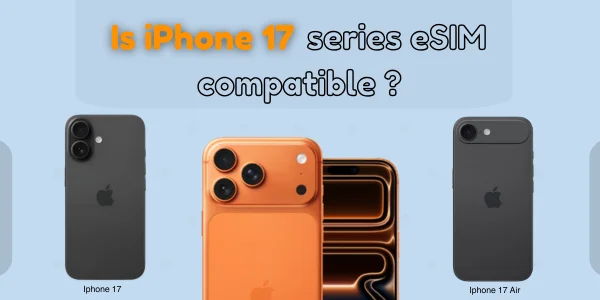
Does iPhone 17 Have eSIM? Beginner Guide ? Short Answer
Yes. All models in the iPhone 17 lineup , iPhone 17, 17 Air, 17 Pro and 17 Pro Max , support eSIM. The iPhone 17 Air is eSIM-only worldwide with no physical SIM tray, while the iPhone 17, 17 Pro and 17 Pro Max use dual eSIM in eSIM-only regions (like the US and several Gulf/Asian markets) and offer eSIM + physical SIM or dual physical SIM in many international versions, including special dual-SIM variants for mainland China.
Quick Answer: Yes, All iPhone 17 Models Support eSIM
Every iPhone 17 model , from the base 17 to the 17 Pro Max , supports eSIM technology. However, there is a major difference based on where the phone is purchased:
● US Models → eSIM-only (No SIM card slot)
● Global Models → eSIM + physical SIM tray
So if you searched:
-
does iPhone 17 support eSIM
-
does iPhone 17 take eSIM
-
can iPhone 17 do eSIM
The answer is YES across all models.
iPhone 17 eSIM Support Overview (All Models)
| iPhone Model | eSIM Support | Physical SIM Slot | Dual SIM Support | Notes |
|---|---|---|---|---|
| iPhone 17 | Yes | No US / Yes Global | Yes | Dual eSIM or eSIM + SIM |
| iPhone 17 Pro | Yes | No US / Yes Global | Yes | Supports 2 active eSIMs |
| iPhone 17 Pro Max | Yes | No US / Yes Global | Yes | Best connectivity for travelers |
– All models support multiple stored eSIM profiles
– All models support Dual eSIM
– US models do NOT include a physical SIM tray
Does the iPhone 17 Have eSIM?
Yes. The standard iPhone 17 uses eSIM, supports Dual eSIM, and allows digital activation through QR codes or carrier apps.
iPhone 17 eSIM features:
-
Add plans instantly
-
Store multiple eSIM profiles
-
Use Dual SIM (eSIM + eSIM or eSIM + SIM in global models)
-
Switch data plans easily
If you searched does iPhone 17 have an eSIM, the answer is YES.
Does the iPhone 17 Pro Support eSIM?
Yes. The iPhone 17 Pro has eSIM, and it is fully compatible with major global carriers and travel eSIM providers.
Highlights:
-
Two active eSIMs
-
Strong 5G support
-
Easy plan switching
-
Compatible with dual eSIM setups
Does the iPhone 17 Pro Max Support eSIM?
Absolutely. The iPhone 17 Pro Max is one of Apple’s best eSIM-ready devices.
It supports:
-
Dual active eSIM
-
Multiple stored eSIM profiles
-
Travel eSIMs for 190+ countries
-
eSIM-only connectivity in the US
If you searched does iPhone 17 Pro Max have eSIM, the answer is YES.
iPhone 17: US vs Global SIM Differences
Apple continues its shift to eSIM-only devices in the United States.
US iPhone 17 Models
-
No physical SIM slot
-
Yes eSIM-only
-
Yes Supports two active eSIMs
-
Yes Stores many eSIM profiles
-
Yes Designed for digital carriers and travel eSIMs
Global iPhone 17 Models
-
Yes Physical nano-SIM slot
-
Yes eSIM support
-
Yes Dual SIM: eSIM + SIM
-
Yes Better flexibility for local SIM use
How Many eSIMs Can the iPhone 17 Use?
| Feature | iPhone 17 Series |
|---|---|
| Stored eSIM profiles | 8 or more |
| Active eSIMs simultaneously | 2 |
| Dual SIM types | Dual eSIM or eSIM + SIM (global) |
This makes the iPhone 17 one of the best eSIM devices available.
Is the iPhone 17 Good for Travel eSIMs?
Yes , the iPhone 17 series works flawlessly with international and regional eSIM providers like:
-
Airalo
-
Nomad
-
Holafly
-
Saily
-
Jetpac
-
Flexiroam
Travel advantages:
-
Activate local data instantly
-
No roaming fees
-
Keep your home number active
-
Use multiple plans at once
-
Great 5G coverage
How to Activate eSIM on iPhone 17
Activation takes only a few steps.
Method 1) QR Code
-
Open Settings → Cellular
-
Tap Add eSIM
-
Tap Use QR Code
-
Scan your carrier’s QR code
Method 2) Carrier App
-
Install your carrier’s app
-
Choose Activate eSIM
-
Follow instructions
Method 3) eSIM Quick Transfer
-
On your new iPhone 17:
-
Go to Settings → Cellular → Add eSIM
-
Select Transfer from Nearby iPhone
-
-
Approve on old device
iPhone 17 eSIM Features at a Glance
| Feature | Supported? |
|---|---|
| eSIM support | Yes |
| Dual eSIM | Yes |
| eSIM-only (US versions) | Yes |
| eSIM + SIM tray (global) | Yes |
| Multiple stored eSIMs | Yes |
| Fast setup (iOS 18) | Yes |
Troubleshooting eSIM Issues on iPhone 17
1. eSIM Activation Failed
-
Restart phone
-
Connect to Wi-Fi
-
Re-scan QR code
-
Update iOS
2. No Signal on eSIM
-
Toggle Airplane Mode
-
Install carrier settings update
-
Reset network settings
3. “eSIM Not Supported” Error
-
Ensure iPhone is unlocked
-
Check carrier compatibility
-
Reinstall eSIM
Frequently Asked Questions
1. Does iPhone 17 support eSIM?
Yes, all iPhone 17 models support eSIM globally.
2. Does iPhone 17 have a SIM card slot?
US models: No
Global models: Yes
3. Can iPhone 17 use two eSIMs?
Yes, it supports dual active eSIM.
4. Is iPhone 17 compatible with travel eSIMs?
Yes, it works with all major travel eSIM providers.
5. Does iPhone 17 Pro Max support eSIM?
Yes, the Pro Max has full eSIM support.
Final Verdict: Complete eSIM Support Across All iPhone 17 Models
Whether you buy the iPhone 17, 17 Pro, or 17 Pro Max, you will get:
-
Full eSIM support
-
Dual eSIM capability
-
eSIM-only design in the US
-
eSIM + SIM tray flexibility in global models
-
Great travel and carrier-switching features
If you were searching for does iPhone 17, 17 Pro & 17 Pro Max support eSIM, the answer is YES across the entire lineup.
