
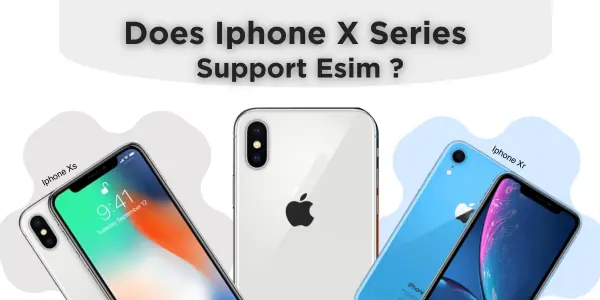
Does iPhone XR Have eSIM? Full Compatibility Guide (2025)
Yes, iPhone XR does have eSIM support. It uses Dual SIM (1 nano-SIM + 1 eSIM), so you can use two numbers on one device. However, eSIM only works if your carrier, region, and iPhone model support eSIM and your phone is running a compatible iOS version (ideally the latest.
Quick Answer: eSIM Support by Model
| iPhone Model | eSIM Support | SIM Setup | Notes |
|---|---|---|---|
| iPhone X | No | 1× nano-SIM only | Not eSIM compatible. You must use a physical SIM or another eSIM-capable device. |
| iPhone XR | Yes | Dual SIM: 1× nano-SIM + 1× eSIM | Supports eSIM on most regions; needs carrier & iOS support. |
| iPhone XS | Yes | Dual SIM: 1× nano-SIM + 1× eSIM | eSIM works on most models except some China mainland variants. |
| iPhone XS Max | Yes | Dual SIM: 1× nano-SIM + 1× eSIM | Same as XS. Check region and carrier compatibility. |
In short:
-
iPhone X → No eSIM.
-
iPhone XR, XS, XS Max → Yes, they support eSIM (with a physical SIM slot too).
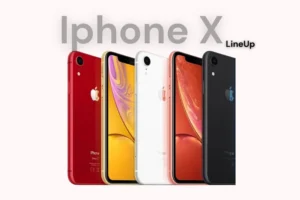 Does iPhone XR Have eSIM?
Yes, iPhone XR does have eSIM support.
Apple introduced Dual SIM (nano-SIM + eSIM) starting with the iPhone XR, XS, and XS Max. That means your iPhone XR can:
-
Hold one physical nano-SIM
-
And one eSIM (digital SIM) at the same time
You can keep:
-
Your primary number on the physical SIM
-
A travel eSIM or work number on the eSIM
Region and Carrier Considerations
Even though iPhone XR is eSIM compatible, you still need:
-
A carrier that supports eSIM iPhone in your country
-
A reasonably recent iOS version (iOS 12.1 or later; ideally the latest)
-
An unlocked device if you’re using eSIM from a different carrier
Some models sold in China mainland may not support eSIM due to local regulations. Hong Kong and Macao units can also have different rules, so always check your exact model number in Settings → General → About.
How to Check if Your iPhone XR Supports eSIM
On your iPhone XR:
-
Go to Settings → Cellular (or Mobile Data).
-
Look for “Add eSIM” or “Add Cellular Plan.”
-
If you see this option, your iPhone XR supports eSIM, and your current carrier or region allows it.
-
If you don’t see it, update iOS and check again. If it still doesn’t appear, your carrier or model may not support eSIM.
This directly answers the question: “does iPhone XR have eSIM?” – yes, it does, as long as your region and carrier support it.
Is iPhone X eSIM Compatible?
Now let’s answer another common question: “does iPhone X have eSIM?”
The answer is no.
-
iPhone X does not support eSIM.
-
It only has a single physical nano-SIM slot.
-
There is no built-in eSIM hardware on the iPhone X.
So, “does iPhone X support eSIM?” and “is iPhone X eSIM compatible?” both have the same answer: no, it is not eSIM compatible.
What Are Your Options If You Have an iPhone X?
If you still use an iPhone X and want eSIM flexibility:
-
Use a separate eSIM-enabled phone as a Wi-Fi hotspot for travel data
-
Or upgrade to a newer iPhone (XR, XS, XS Max, 11 series, or later) that fully supports eSIM
Does iPhone XS Have eSIM?
Yes, iPhone XS has eSIM support.
So the questions:
-
“does iPhone XS have eSIM?”
-
“does iPhone XS support eSIM?”
-
“iPhone XS eSIM – is it available?”
All have the same answer: yes, with some region exceptions.
iPhone XS eSIM Setup
-
Dual SIM arrangement: 1× nano-SIM + 1× eSIM
-
Supports multiple eSIM profiles (plans), but only one eSIM can be active at a time
-
You can use two lines at once:
-
One on the physical SIM
-
One on the eSIM
-
Region Restrictions
Like the XR, iPhone XS units sold in China mainland may not support eSIM. Some specific carrier-locked models also limit eSIM usage. Always verify with your carrier if you’re not sure.
Does iPhone XS Max Have eSIM?
Yes, iPhone XS Max also supports eSIM.
So the question “does iPhone XS Max have eSIM?” = yes, under the same conditions as XS and XR:
-
Dual SIM: nano-SIM + eSIM
-
eSIM available in most regions, with China mainland models typically excluded
-
Requires:
-
Carrier support
-
Latest iOS versions
-
Often an unlocked phone for maximum flexibility
-
eSIM Requirements on iPhone XR, XS & XS Max
To use eSIM iPhone on these models, make sure you have:
-
Compatible iPhone: XR, XS, or XS Max
-
Updated iOS: Latest version available for your device
-
eSIM-capable carrier or provider:
-
Can be a local carrier (AT&T, T-Mobile, etc.)
-
Or a travel eSIM provider (Airalo, Nomad, Saily, Holafly, etc.)
-
-
Stable internet: Wi-Fi or mobile data to download the eSIM profile
-
QR code, activation code, or app from the provider
How to Add an eSIM on iPhone XR / XS / XS Max
Here is the basic process to activate an eSIM on your compatible iPhone.
Method 1: Using a QR Code
-
Open Settings → Cellular (or Mobile Data).
-
Tap Add eSIM or Add Cellular Plan.
-
Use your iPhone’s camera to scan the QR code given by your carrier/eSIM provider.
-
When the plan details show up, tap Add Cellular Plan.
-
Choose labels like “Primary”, “Travel”, or “Work” to keep lines organized.
-
Decide which line is used for:
-
Default voice line
-
iMessage & FaceTime
-
Mobile data
-
Method 2: Using the Carrier or eSIM App
-
Download your provider’s app from the App Store.
-
Sign up or log in, and buy your eSIM plan.
-
Tap Install eSIM inside the app and follow the prompts.
-
iOS will guide you through the same Add Cellular Plan screens.
Method 3: Manual Activation Code
If your provider gives you an activation code instead of a QR:
-
Go to Settings → Cellular → Add eSIM.
-
Tap Enter Details Manually.
-
Type the SM-DP+ address, activation code, and any confirmation code.
-
Follow the setup wizard to finish.
Common eSIM Issues on Older iPhones (and Fixes)
Because XR, XS, and XS Max are older models, you may hit small issues. Here are common problems and solutions:
1. “Add eSIM” Option Not Showing
-
Update iOS to the latest version.
-
Make sure your phone is not carrier-locked to a provider that doesn’t support eSIM.
-
Some China mainland models simply do not support eSIM – in that case, there’s no software fix.
2. eSIM Installed but “No Service”
-
Check if your plan is active and not expired.
-
Confirm that your carrier supports eSIM on iPhone XR/XS/XS Max in your region.
-
Go to Settings → Cellular → your eSIM plan and ensure “Turn On This Line” is enabled.
-
Toggle Airplane Mode on/off and restart the phone.
3. Mobile Data Not Working on eSIM
-
Go to Settings → Cellular → Cellular Data and make sure your eSIM plan is selected.
-
Turn off any unnecessary VPN while testing.
-
Re-check APN settings if your provider gave custom details.
4. Switching Between SIMs
Remember:
-
These models hold one physical SIM + one active eSIM at a time.
-
You can store multiple eSIM plans, but only one eSIM plan is active alongside your physical SIM.
-
To switch plans, go to Settings → Cellular, tap the plan you want, and toggle “Turn On This Line.”
Is It Still Worth Using eSIM on XR / XS / XS Max in 2025?
Yes, if your phone is in good condition, eSIM can still make these older iPhones very useful:
Pros
-
Perfect for travel: Add a cheap travel eSIM for data while keeping your local number on the physical SIM.
-
Dual numbers: Use one line for work and one for personal calls.
-
Less plastic, fewer SIM swaps: You don’t have to carry tiny SIM cards everywhere.
Cons
-
Older hardware: Battery and performance are not as strong as newer iPhones.
-
Limited eSIM flexibility: Only one eSIM active at a time, unlike newer models that use eSIM-only setups with more advanced management.
-
Carrier limitations: Some carriers focus more on newer models first.
If you travel often or want dual numbers on a budget, an eSIM on iPhone XR, XS, or XS Max is still a smart move. If you have an iPhone X, you must upgrade to enjoy eSIM.
FAQs About eSIM on iPhone X, XR, XS & XS Max
1. Does iPhone XR Have eSIM?
Yes. iPhone XR supports eSIM in addition to a physical nano-SIM, as long as:
-
Your carrier supports eSIM
-
Your iPhone XR model and region allow eSIM
-
You’re running a compatible iOS version
So the answer to “does iPhone XR have eSIM?” and “does iPhone XR has eSIM?” is yes, with those conditions.
2. Does iPhone X Have eSIM?
No.
-
iPhone X does not have eSIM hardware.
-
It only has a single physical nano-SIM.
-
Any phrase like “does iPhone X support eSIM” or “is iPhone X eSIM compatible” → the answer is no.
3. Does iPhone XS Have eSIM?
Yes. iPhone XS has and supports eSIM (plus a nano-SIM).
You can:
-
Use one line on the physical SIM
-
Use another line on the eSIM
-
Store multiple eSIM profiles, but only one eSIM can be active at a time
4. Does iPhone XS Max Have eSIM?
Yes. iPhone XS Max is eSIM compatible.
Just like the XS and XR:
-
Dual SIM = nano-SIM + eSIM
-
Requires eSIM support from your carrier and region
5. Can I Use Two eSIMs at the Same Time on XR / XS / XS Max?
No.
These models allow:
-
One physical SIM + one active eSIM at a time
-
You can store several eSIM profiles, but only one eSIM can be active, alongside the physical SIM.
6. Will a Travel eSIM Work on My iPhone XR / XS / XS Max?
Yes, if:
-
Your phone is unlocked
-
Your selected travel eSIM provider supports these models
-
You follow their install steps via QR code or app
Travel eSIMs are an easy way to get local data abroad without swapping physical SIM cards.
Final Thoughts
To wrap it up:
-
iPhone X → no eSIM support
-
iPhone XR, XS, XS Max → fully eSIM compatible (with nano-SIM + eSIM dual SIM)
If your main question was “does iPhone XR have eSIM?” – the clear answer is yes, and it can still be a powerful dual-SIM phone for travel, work, and everyday life.
If you’re planning a trip or comparing travel eSIM providers next, your next step is to:
-
Check your device model and region
-
Make sure your iPhone XR, XS, or XS Max is unlocked
-
Pick a trusted eSIM provider that supports your destination and these iPhone models.
