
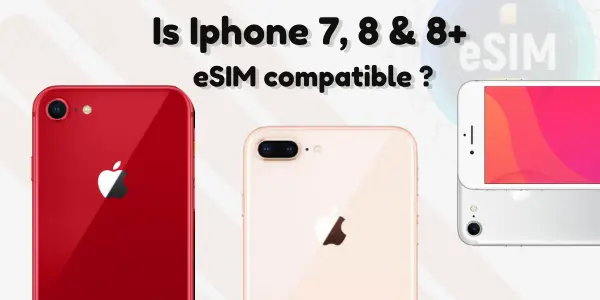
This blog explores the compatibility of the iPhone 7 and 8 Plus with eSIM technology. As more users seek to utilize eSIM features for enhanced connectivity, it is essential to understand whether these older models support such advancements. Through a detailed analysis, we aim to provide an honest assessment of eSIM support for these devices, helping users make informed decisions regarding their mobile options. Join us as we delve into the intricacies of eSIM functionality in the context of these popular iPhone models.
iPhone 7 & 8 Plus eSIM Support ? and is it fully compatible? Heres the answer,
The iPhone 7, iPhone 8, and iPhone 8 Plus do not support eSIM because these models were released before Apple introduced eSIM technology. They only have hardware for a single physical nano-SIM, and no software update can add eSIM support to these devices. Only iPhone XR and newer models include eSIM functionality.
Quick Answer: iPhone 7, 8, or 8 Plus Support eSIM?
Here is the straight, simple answer:
| iPhone Model | eSIM Support | Explanation |
|---|---|---|
| iPhone 7 | No | Hardware does not support eSIM technology. |
| iPhone 7 Plus | No | No eSIM chip; physical SIM only. |
| iPhone 8 | No | Cannot install or activate any eSIM. |
| iPhone 8 Plus | No | No eSIM support, even after updates. |
Conclusion:
– None of these models, iPhone 7, iPhone 8, or iPhone 8 Plus, support eSIM.
– You can only use a physical SIM card.
Why Don’t the iPhone 7 and 8 Series Support eSIM?
Apple introduced eSIM support starting from iPhone XS, XR, and later.
This means the first iPhones to ever support eSIM were:
-
iPhone XS
-
iPhone XS Max
-
iPhone XR
The iPhone 7 and iPhone 8 generation came before this technology, so their hardware does not include an eSIM chip.
Even with the latest iOS updates, software cannot enable eSIM on a phone that does not have the internal chip.
Does the iPhone 8 Have eSIM?
Many users ask: “Does iPhone 8 have eSIM?”
The answer is:
No, the iPhone 8 does NOT have eSIM support.
It only supports:
-
1 physical nano-SIM
-
No digital SIM
-
No dual SIM mode
Even if you update to the newest iOS, the iPhone 8 cannot use eSIM because the internal hardware is missing.
Is the iPhone 8 eSIM Compatible?
No, the iPhone 8 is not eSIM compatible.
To check this yourself:
-
Go to Settings
-
Tap Mobile Data / Cellular
-
You will not find “Add eSIM” or “Add eSIM Plan”
-
This confirms the device doesn’t support eSIM
 Does the iPhone 8 Plus Have eSIM?
No, the iPhone 8 Plus also does NOT support eSIM.
The iPhone 8 and iPhone 8 Plus share the same modem and SIM technology, and both lack eSIM capability.
Can the iPhone 8 Use eSIM With a Carrier Update?
Some users believe installing a carrier update or updating iOS might enable eSIM.
Yes, You can update iOS
No, But updates will NOT add eSIM support
Why?
Because eSIM is a hardware feature, not a software feature.
Does the iPhone 7 Support eSIM?
No, the iPhone 7 does not support eSIM.
Just like the iPhone 8, the iPhone 7 only uses one physical nano-SIM card.
Is the iPhone 7 eSIM Compatible?
No, the iPhone 7 is NOT eSIM compatible.
Even after updates, the iPhone 7 cannot install an eSIM because the internal design does not include an eSIM module.
iPhone 7, 8, and 8 Plus – SIM Card Capabilities Summary
Here is a simple comparison:
| Feature | iPhone 7 | iPhone 8 | iPhone 8 Plus |
|---|---|---|---|
| Physical SIM | Yes | Yes | Yes |
| eSIM Support | No | No | No |
| Dual SIM | No | No | No |
| Carrier Unlocking | Supported | Supported | Supported |
| Travel eSIM Support | Not possible | Not possible | Not possible |
If iPhone 7/8 Do Not Support eSIM, What Are Your Options?
Even though these models cannot use eSIM, you still have good alternatives:
1. Use a Physical SIM Card
This is the only supported option.
2. Use a Portable Wi-Fi Device
Great for travelers who cannot use a travel eSIM.
3. Upgrade to an eSIM-supported iPhone
You must upgrade to at least:
-
iPhone XR
-
iPhone XS
-
iPhone XS Max
-
Any iPhone 11, 12, 13, 14, 15, or newer
These newer models support:
-
eSIM
-
Dual SIM
-
International eSIM usage
-
Better 5G speeds
List of iPhones That Support eSIM
If you want to switch to eSIM in the future, these devices fully support eSIM:
iPhones With eSIM Support
-
iPhone XR
-
iPhone XS / XS Max
-
iPhone 11 series
-
iPhone 12 series
-
iPhone 13 series
-
iPhone 14 series
-
iPhone 15 series
Important Note
In the USA, the iPhone 14 and newer are eSIM-only and have no physical SIM tray.
Why eSIM Is Not Available on Older iPhones
Older models like the iPhone 7 and iPhone 8 were designed before eSIM became mainstream. Back then, carriers still relied mostly on physical SIM cards.
Apple began adopting eSIM once:
-
Carriers started supporting digital profiles
-
Roaming became easier with eSIM
-
Travelers needed flexible multi-country data
Because of this timeline, older iPhones simply do not have the required hardware.
How to Check If Your iPhone Supports eSIM
If you ever want to test your device, follow these steps:
-
Open Settings
-
Tap Mobile Data / Cellular
-
Look for:
-
“Add eSIM”
-
“Add Cellular Plan”
-
-
If you do NOT see these options → your device is not eSIM compatible.
For iPhone 7/8 users, these options will never appear.
Common FAQs
1. Can iPhone 8 use eSIM in any country?
No. iPhone 8 cannot use eSIM in any country, region, or carrier.
2. Can iPhone 7 install an eSIM with a special app?
No. No app can install an eSIM on a device without the required hardware.
3. Will Apple enable eSIM on iPhone 8 in future updates?
No. Apple never enables hardware-based features through software.
4. Can I use a travel eSIM for international trips?
Not on iPhone 7 or iPhone 8.
You must use a physical SIM or upgrade to an eSIM-supported model.
5. Which is the cheapest iPhone that supports eSIM?
The iPhone XR is the cheapest model with eSIM support.
Conclusion
If you own an iPhone 7, iPhone 8, or iPhone 8 Plus, your device does not support eSIM, no matter which country, carrier, or software version you use. These older models only support physical SIM cards.
