
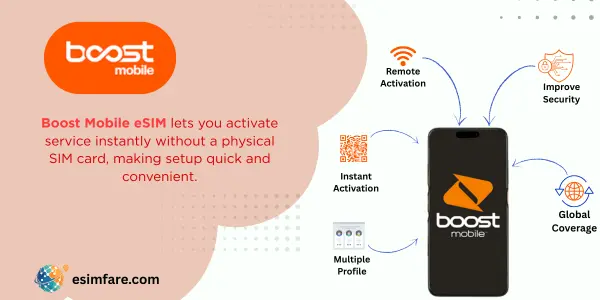
What Is Boost eSIM?
Boost eSIM is the digital version of a Boost Mobile SIM you install on your phone, no plastic, no store visit. Purchase a plan online, receive app/QR activation, and go live in minutes. Boost’s help center provides device-specific eSIM steps for iPhone, Samsung, Google, and Motorola.
Why travelers like it
-
Quick activation via the Boost app/QR (Wi-Fi recommended).
-
Affordable unlimited options (e.g., $25/mo plan with speed management after a threshold).
-
Add-ons for roaming in Canada/Mexico and overseas without hunting for a local SIM.
Network note: Boost’s service uses a mix of partner networks; AT&T is currently identified as the primary network provider for Boost’s wireless service per recent reporting. Always verify local coverage on the Boost map for your ZIP.
Who Is Boost eSIM Best For?
-
U.S. visitors & students: Need a quick, carrier-style plan without contracts.
-
Frequent Mexico/Canada travelers: Add 5GB roaming + unlimited talk/text across North America with one toggle.
-
Budget-minded users: Prepaid pricing and promos are easy to understand; no surprise roaming bills when add-ons are enabled.
-
BYOD fans: Bring an unlocked, compatible phone and activate eSIM from home.
Device Compatibility (Check This First)
Most recent iPhone, Samsung Galaxy, Google Pixel, and Motorola phones support eSIM. Boost esim guide walks you through adding the profile per brand; ensure your device is unlocked.
Quick path
-
iPhone: Settings → Cellular → Add eSIM (scan Boost QR / follow app prompt).
-
Android: Settings → Network/Connections → SIM Manager → Add eSIM (scan QR / app flow).
Boost Mobile Plans (Snapshot)
Prices/promos change, confirm live rates at checkout. The plan below is a popular value anchor; other data tiers exist.
| Plan | What you get | Notes |
|---|---|---|
| Unlimited $25 Forever | Unlimited talk/text/data; speeds may slow after a usage threshold | You keep $25/mo as long as you stay on the plan and remain active. |
You can stack International Add-Ons (below) with eligible plans for cross-border or overseas trips.
International Add-Ons (Travel-Friendly)
North America Connect , $10/mo
-
Unlimited talk & text across the U.S., Canada, and Mexico
-
5GB data while roaming in Canada/Mexico
Enable/disable from your account when needed.
Global Roaming , $20/mo (intro pricing)
-
Talk & text around the globe + 1GB high-speed data/month abroad
-
Add extra data at $10/GB (up to 9GB)
-
Turn it on/off in the Boost app (persists until you disable).
Coverage & Reliability
Use Boost’s interactive map to check 4G/5G availability by address/ZIP. Terrain, buildings, and congestion can affect real-world speeds; always confirm for your destination.
How to Activate Boost eSIM (Step-by-Step)
-
Check your phone: Unlocked and eSIM-capable? (See Boost’s brand guides.)
-
Pick a plan: Start with the $25 unlimited or another data tier that fits your use.
-
Buy & receive eSIM: You’ll get app prompts and/or a QR to scan.
-
Install on Wi-Fi: Add eSIM in Settings; follow Boost’s screen-by-screen instructions.
-
Set as Data Line: Keep your home SIM for calls/OTP if needed.
-
Traveling? Toggle North America Connect or Global Roaming in the Boost app before your flight.
-
Test: Place a call and open a web page.
Pros & Cons
Pros
-
Fast eSIM install with official device guides.
-
Compelling value on the $25 “forever” unlimited tier.
-
Simple roaming add-ons for Canada/Mexico and broader travel.
Cons
-
International data caps via add-ons (e.g., 1GB/mo on Global before $10/GB top-ups). Plan ahead if you’re a heavy user.
-
Coverage varies by location; always verify the map for your exact area.
Data Sizing (Buy the Right Amount)
-
Light: 1–3 GB/week (maps, chat, email)
-
Moderate: 3–5 GB/week (social, browsing)
-
Heavy: 5–10 GB/week (video calls/reels)
-
Laptop hotspot: ~1–2 GB/hour (task-dependent)
If you’re traveling abroad, consider enabling Global Roaming and buying $10/GB top-ups only when needed.
Troubleshooting (Fast Fixes)
-
No data after install: Toggle Airplane Mode, ensure Boost eSIM is the active data line.
-
Bars but no internet: Reboot and confirm your plan is active; check add-on toggles for roaming.
-
Going to Canada/Mexico/abroad: Make sure North America Connect or Global Roaming is enabled before departure.
FAQs (Boost eSIM)
1) Does Boost support eSIM on my phone?
Yes for many recent iPhone/Android models; check the brand-specific install pages in Boost esim help center.
2) Can I get Canada/Mexico roaming?
Yes, enable North America Connect for unlimited talk/text + 5GB roaming data in Canada/Mexico.
3) What about travel beyond North America?
Turn on Global Roaming for global talk/text + 1GB high-speed data each month, with $10/GB top-ups.
4) Is the $25 Unlimited really $25 “forever”?
Boost advertises $25/mo “forever” as long as you remain active on that plan; speeds may slow after heavy use. Verify the plan page for current terms.
5) How do I check coverage?
Use the Boost coverage map and enter your ZIP/address for current 4G/5G layers.
Conclusion
If you want quick setup with clear travel options, Boost eSIM is a strong pick: minutes-fast activation, good value plans (including a widely advertised $25 unlimited), and add-ons that make Canada/Mexico and global trips straightforward. Check your device, confirm coverage for your ZIP, toggle the North America Connect or Global Roaming add-on before wheels-up, and you’re ready to go.
